


Desygner: Graphic Design Maker
4.61.80K Reviews
App Specs
- Version
- 5.4.9
- Updated On
- License
- Free
- Downloads
- 5,000,000+
- Developer
- Desygner Pty Ltd
- Categories
- Art & Design
- Platform
- Android, iOS
Screenshots
 Analysis by AppCompare
My first-week impression of Desygner: Graphic Design Maker is that it makes starting a design feel less intimidating than opening a full desktop graphics program. I can picture reaching for it when I need a quick social post, a simple flyer, or a business card and don’t want to begin with a blank canvas. It is a free art and design app from Desygner Pty Ltd, and its broad set of ready-made starting points is the main reason a newcomer can get moving quickly. The appeal is immediate: choose a format, adjust the parts that matter, and aim for something usable without first learning a complicated toolset.
Getting Started with Desygner
Jumping into Desygner is like opening a treasure chest of creativity. When you first launch the app, you’re greeted with a clean and intuitive interface. It’s designed to make even the most novice designer feel right at home. Whether you’re on Android or iOS, the layout is smooth and easy to navigate.
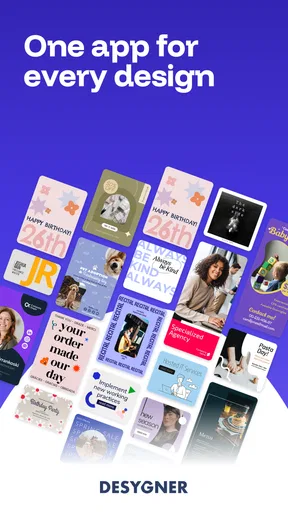
Once you’ve signed up or logged in, you’re prompted to select what you’d like to create. The options are endless: social media posts, flyers, business cards, and more. Seriously, it’s like having a mini design studio right in your pocket! The app is free to download, but there are premium features you might want to explore if you’re serious about design.
The first useful decision is not which template looks prettiest, but where the finished design will go. A graphic intended for a phone screen has different needs from a flyer someone will read at arm’s length. I’d choose the output format first, then pick a layout with enough open space for my actual message. That small bit of planning avoids a common beginner mistake: spending time polishing a composition that later feels cramped once the real wording is added.
The Design Experience
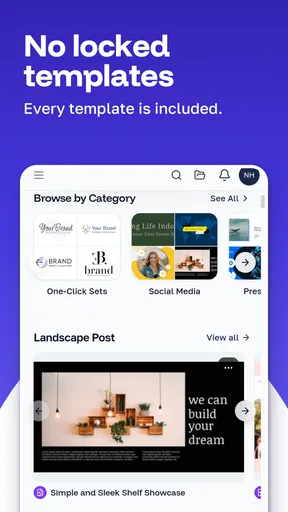
Now, let’s talk about the real meat of the app – the design process. The plethora of templates available is nothing short of impressive. Whether you’re aiming for something sleek and professional or fun and quirky, Desygner has got you covered. The templates are fully customizable, allowing you to change colors, fonts, and images with a few taps.
And speaking of images, the app connects you with a vast library of stock photos and illustrations. The drag-and-drop functionality is smooth as butter, making it a breeze to add elements to your design. It’s all about empowering you to bring your vision to life without any fuss.
There is a practical trade-off in starting from a template: it saves time, but it also makes it easy to produce something that resembles other template-based graphics. I get better results when I change more than the headline—at minimum, I adjust the color balance, image choice, and spacing so the finished piece feels connected to its purpose. For a small business announcement, for example, I would keep the key information visually dominant and resist adding decorative elements just because they are available.
Worth Reading Before You Choose

EA SPORTS FC Mobile 26 Is a Bigger Football Game, but It Takes Time

Flipboard Shows What News Apps Must Do Beyond the Feed

Switching to Android Auto Means Rethinking Your Driving Routine

Google Calendar Makes a Crowded Week Easier to Manage

Ludo King Makes the Most of the Minutes Between Plans

Baby Panda World Brings Quick Play to Modern Phones, but Its Game Library Feels Busy
On a phone, a few taps can make an edit feel effortless, but detailed alignment is still easier when I slow down and check the whole composition rather than judging one selected object in isolation. I’d also proofread the final wording at the size it will actually be seen. Text that looks clear while zoomed in may become difficult to read once the design is viewed as a social post or printed handout.
Features That Stand Out
If you’re anything like me, you love an app that goes the extra mile with features. Desygner doesn’t disappoint. One standout feature is the ability to collaborate in real-time. So, if you’re working on a project with a team, everyone can chip in their ideas without the hassle of endless back-and-forth emails.
The app also offers integration with social media platforms. This means you can directly share your creations without having to save and upload manually. Talk about a time saver!
For a recurring task, such as preparing a weekly event announcement, I’d treat one finished design as a starting point for the next rather than rebuilding everything. Keeping the core layout consistent can make a series feel recognizable, while changing the date, image, and essential message keeps each post relevant. I would still inspect every copy carefully before sharing; reusing a design is convenient, but it can also carry forward an old date or detail if I rush.
Collaboration is most useful when the people involved have clear, limited feedback to give: one person checks the wording, another checks the visual direction, and the creator makes the final call. That is a calmer workflow than letting everyone make unrelated edits at once. For a personal project or a solo creator, the sharing tools may matter less than the ability to finish and distribute a graphic without jumping between several apps.
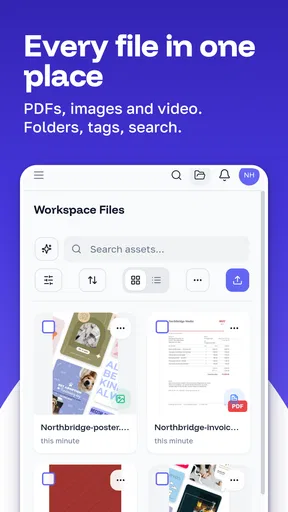
For keeping work manageable, I’d settle on a simple folder habit early: group designs by project or purpose instead of letting every draft accumulate in one place. It is a small bit of upkeep that becomes valuable when a past event graphic needs a quick revision. If I were making only occasional one-off images, a detailed filing system would be unnecessary; for repeated business or community posts, it helps prevent avoidable searching.
Where Desygner Shines
In my opinion, where Desygner truly shines is in its accessibility. You don’t need to be a graphic design guru to create something beautiful. The app is user-friendly enough for beginners while still offering advanced tools for the pros out there.
The range of design possibilities is also impressive. Whether you’re designing a wedding invitation or a marketing campaign, you’ll find the tools you need. The app’s versatility is a major plus, making it a one-stop-shop for all your design needs.
That versatility is most valuable to someone who makes a mix of everyday materials and wants one familiar place to begin. A club organizer might need an event post one day and a simple flyer the next; a home baker could create a menu update without learning separate software for each format. For those jobs, the quick template-to-edit workflow can be more useful than a deep set of specialist controls.
It is less compelling if your work depends on highly precise illustration, complex image compositing, or strict production specifications. In those cases, a dedicated desktop editor or a specialist layout tool is usually a better fit because it gives more control over fine details and a more deliberate production workflow. I see this app as a practical design helper, not a replacement for every professional graphics tool.
Compared with the usual alternatives, a mobile template editor has a clear convenience advantage over desktop software when the task is a fast announcement or a simple branded graphic. A presentation or document app may be more comfortable for long text and structured pages, while a dedicated graphics editor is preferable for intricate visual work. Desygner sits between those choices: it is most convincing when I need a polished, compact design quickly, not when I need to control every technical detail.
Room for Improvement
While Desygner is fantastic, it’s not without its quirks. Occasionally, the app can lag, especially when working with large files or complex designs. It’s not a deal-breaker, but it’s something to keep in mind if you’re in a hurry.
Also, while the free version is quite comprehensive, some users might find the premium features a bit pricey. However, if you’re a frequent user, the investment could be worth it for the added functionality.
That makes the sensible approach to paid features simple: begin with the free app and notice which limits actually interrupt your routine before spending anything. In-app purchases range from $4.49 to $149.99 per item, so I would check the specific option and its value to my own workload rather than assume an upgrade is necessary. Someone making a few personal graphics may never need to pay, while a frequent creator could find extra capabilities worth considering if they solve a recurring problem.
There is also a small maintenance cost that comes with any design app: keeping drafts organized, checking old information, and resisting the temptation to keep tweaking a graphic after it is already clear. The app can make starting easy, but it cannot decide when a design is finished. I’d set a simple endpoint—message readable, details correct, layout balanced—and move on instead of spending time on changes that do not improve the result.
Desygner has an average rating of 4.6 from around 100,000 ratings, and it has passed 5 million installs. Those figures suggest it has found a sizable audience, but I would still judge it by whether its workflow fits the kind of designs I make repeatedly. It is free to install, rated for Everyone, and version 5.4.9 runs on Android 5.0 or later. Those details make it accessible to many Android users, though the experience still depends on the device and the complexity of the project.
What Keeps It Useful After the First Week
The novelty of browsing templates can wear off quickly. The lasting value comes from whether I return to make ordinary, repeated materials: a notice for a local group, a menu change, a sale announcement, or a birthday invitation. If I only wanted to experiment once, I would not need to build a habit around it. If I regularly communicate through small graphics, having a familiar editing flow can save the effort of starting over elsewhere.
A realistic use case is a community volunteer who receives a last-minute change to an event time. Rather than recreate the announcement from scratch, they can open the existing design, update the essential detail, review the layout, and share the revised version. The important step is checking that the old information has not survived in another text area or image. That careful final pass is more valuable than adding extra decoration under time pressure.
For a small business, I would also keep a plain-text note of the exact business name, contact details, and any recurring wording used in graphics. That reduces inconsistency between posts and makes revisions less error-prone. It is not an app feature; it is a simple working habit that complements a template-based tool and prevents a polished design from carrying a typo or outdated detail.
One question people often have is whether the app is only for social media. I would not treat it that way: its stated range includes printed-style materials such as flyers and business cards as well as online graphics. The practical choice is to select the intended format before editing, then check legibility and spacing for that use. A design that reads well on a phone is not automatically ready to print, so I would review the final result with its destination in mind.
Another reasonable question is whether a beginner can use it without design training. My answer is yes for straightforward work, especially when the goal is a clear announcement rather than an original illustration. Templates lower the barrier, but they do not replace judgment about contrast, hierarchy, and readable text. If someone wants to learn detailed graphic design techniques, this can be a gentle starting point, but it should not be mistaken for a complete course or a specialist workstation.
Likewise, I would not choose it simply because it has many options. More choices can make a quick task slower if I keep switching templates or adding elements without a clear purpose. I get the best results by deciding on the audience and one main message first, then choosing only the visual pieces that support it. That restraint helps the app remain a practical tool instead of another place to lose time polishing small details.
My Long-Term Take
Overall, Desygner: Graphic Design Maker is a gem for anyone looking to dive into the world of graphic design. Whether you’re creating for fun or for professional purposes, this app is equipped to handle your creative needs with style and efficiency. So, why not give it a whirl and unleash your inner designer?
My more measured recommendation is to keep it if it earns a regular place in your routine: quick promotional graphics, event notices, simple print materials, and other designs where a template is a useful head start. I would skip it if most of my work calls for exacting control, or if I rarely make visual materials and would not benefit from having a design app ready to hand. Its strongest long-term case is not that it can do everything, but that it can make common design jobs approachable without turning each one into a project.
For a newcomer, I’d try one real task rather than spend the first session browsing endlessly. Make something you actually need, check it at its intended size, and see whether the editing process feels comfortable enough to repeat. If it does, the app can become a handy part of a monthly routine; if not, a document tool or a more specialized graphics editor may suit your work better. That is the test I would use once the first-week excitement has passed.
Pros
- User-friendly interface for beginners.
- Extensive library of templates available.
- Supports multiple formats for export.
- Collaboration features for team projects.
- Affordable subscription options.
Cons
- Limited advanced editing tools.
- Some features require internet access.
- Occasional lag on older devices.
- Free version has ads.
- Limited font customization options.
FAQs for Desygner: Graphic Design Maker
What features does Desygner offer for graphic design?
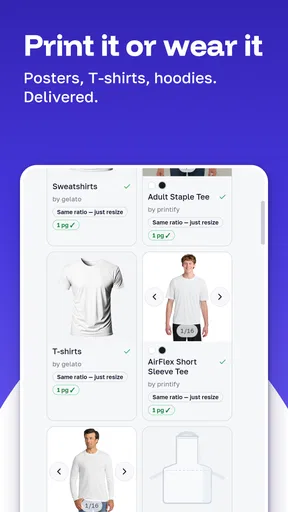
Desygner provides a wide range of features, including customizable templates, drag-and-drop functionality, and access to millions of free images and fonts. Users can create social media posts, flyers, banners, and more. The app also offers advanced editing tools like layer management and blending modes, making it versatile for both beginners and professionals.
Is Desygner suitable for professional graphic designers?
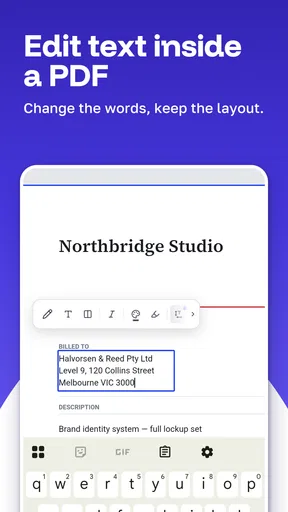
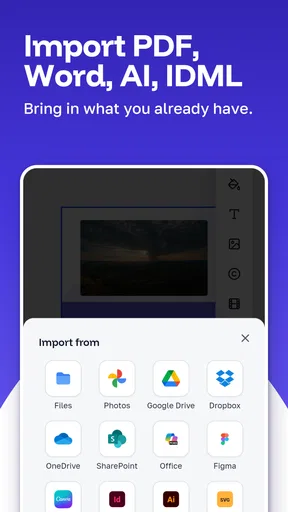
While Desygner is user-friendly for beginners, it also includes advanced features that can cater to professional designers. Options like high-resolution exports, collaboration tools, and the ability to import and edit PSD files make it a viable choice for those in the graphic design industry looking for a mobile solution.
How does Desygner compare to similar apps in terms of pricing?
Desygner offers a free version with basic features, making it accessible for casual users. For those seeking more advanced tools, a premium subscription is available. This pricing model is competitive compared to similar apps, providing a cost-effective solution without compromising on functionality and design capabilities.
Can Desygner be used offline?
Desygner requires an internet connection for certain features like accessing the image library or syncing projects across devices. However, you can work on saved projects offline, making it convenient for users who need to design on the go without constant connectivity.
What platforms is Desygner available on?
Desygner is available for both Android and iOS devices, ensuring a wide range of compatibility. Additionally, it offers a web version, allowing users to seamlessly switch between mobile and desktop environments. This cross-platform availability enhances its accessibility for users with different device preferences.


